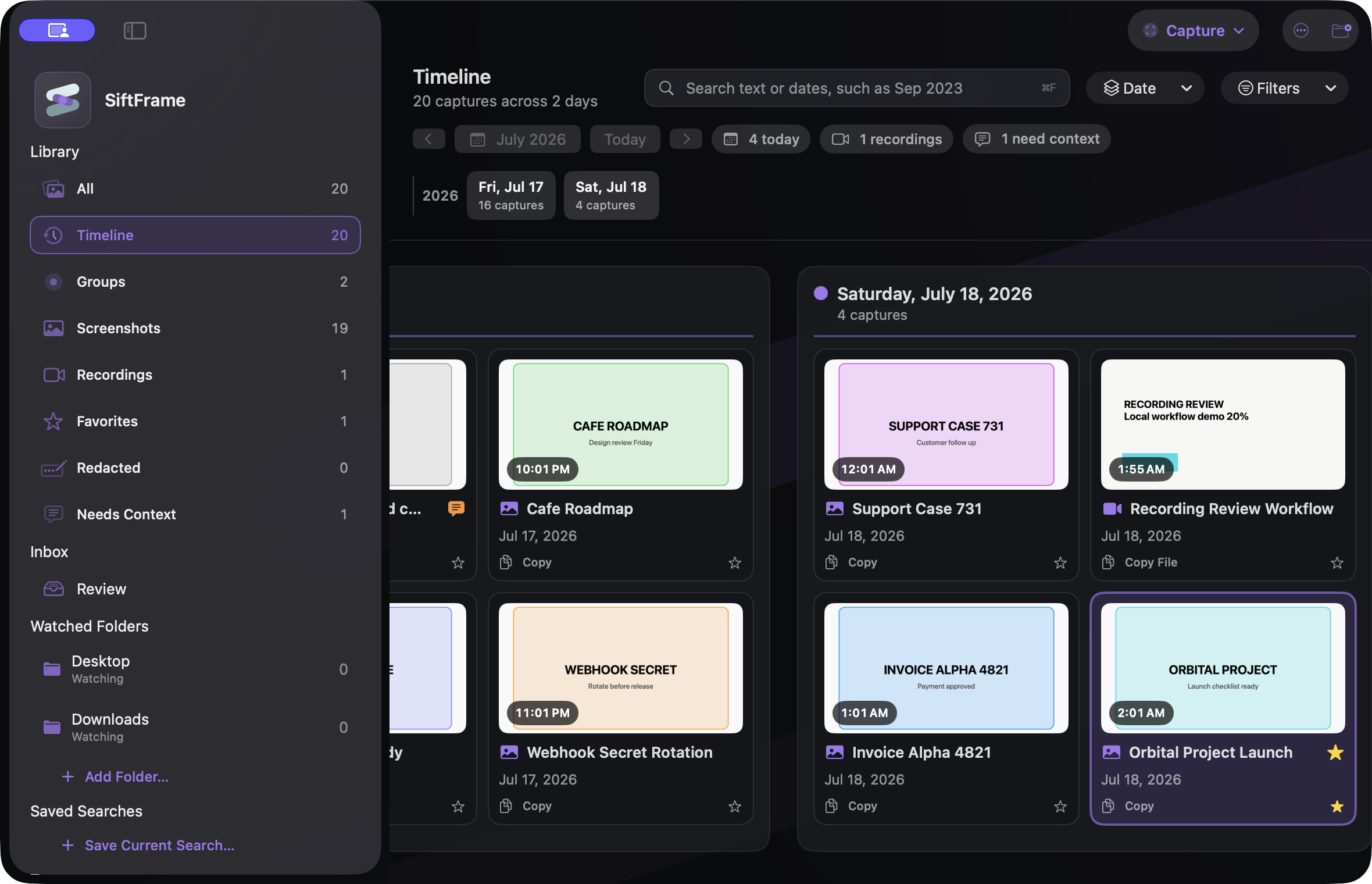
A screenshot often begins as a small act of memory: keep this error, remember this receipt, show this layout, revisit this conversation. The file then lands beside hundreds of other captures with nearly identical timestamped names.
The image still contains the clue—the words, application, date, and visual state—but the ordinary file system can only use a fraction of it. Good retrieval turns those clues back into handles.
The useful answer before the long answer.
What to carry into the decision.
- 01
Automatic capture filenames are precise identifiers but weak memory cues.
- 02
OCR is most useful when it feeds retrieval across the whole library, not only copy-and-paste from one image.
- 03
A result becomes actionable when source details, nearby captures, notes, and groups remain available.
- 04
Organization that depends on tagging every capture will eventually lose to the speed of capture itself.
Timestamps are accurate but rarely memorable
A filename such as Screenshot 2026-08-14 at 2.51.19 PM is precise. It is not how people recall the content. We remember the invoice number, the page title, or the sentence that made the capture worth taking.
Visible-text recognition connects that human memory to the file without forcing a manual rename at capture time.
A result without context can still be a dead end
Finding the right image is only part of the recovery. You may still need the source folder, nearby captures, exact date, related recording, or a note about why it mattered.
SiftFrame’s Timeline and Capture Groups are designed around that second question: what was happening around this file? The product keeps retrieval local and makes the source trail visible.
Organization should not require a new ritual
A system that depends on naming and tagging every screenshot will eventually lose to the speed of the screenshot shortcut. Watched folders and automatic on-device recognition create a useful baseline, while tags, notes, and groups remain available for the moments that deserve more care.
Why recent history eventually fails
A recent-captures strip works while the project is still in working memory. Its usefulness drops sharply after a weekend, a release, or a change of client. The older the capture becomes, the less likely its position in a chronological list is to carry meaning.
Durable retrieval needs more than recency. It needs content that can be searched and context that can be reconstructed. This is why a screenshot shelf and a searchable visual history feel different even when both display a grid of thumbnails.
A low-maintenance organization strategy
Start with one watched root for the capture folders you already use. Let visible-text recognition and dates provide the automatic baseline. Add a note or tag only when the capture marks a decision, belongs to a durable project, or needs an explanation that is not visible in the image.
Use groups for bursts of related work and favorites for the small set of references that remain useful across projects. The goal is not a perfect taxonomy. It is a library that becomes more searchable without turning every screenshot into clerical work.
- Automatic layer: recognized text, file metadata, date, and source
- Occasional layer: notes, tags, and Capture Groups
- Working layer: pinned references and favorites
- Exit layer: original files remain ordinary files in folders you control
Four layers of a findable capture
| Layer | What it preserves | Question it answers |
|---|---|---|
| Content | Visible words and visual state | What did I see? |
| Time | Exact date and nearby captures | When was I working on it? |
| Source | Original file, folder, and type | Where does it belong? |
| Intent | Notes, tags, favorites, and groups | Why did I keep it? |
The best screenshot system uses the information already inside the capture, then preserves just enough source and time context to make the result useful again.
The useful follow-ups.
Why not rename every screenshot?
Renaming can help important files, but it adds friction at the exact moment capture is supposed to be fast. Automatic visible-text indexing creates a useful baseline without requiring a naming ritual.
Are tags still useful?
Yes, especially for intent that is not visible in the image. They work best as a selective layer above automatic content and date indexing.
What makes a recording part of visual history?
Sampled frames can expose the titles, dialogs, pages, and code that appeared during the recording, while source and time context connect the result back to the original file.